Services / Custom builds
Your existing spreadsheets and forms
stay as they are.
Only the repetitive daily work moves into a system.
The formats stay in place while the daily copying and totaling move into the system. Your staff keep working the way they already do.
01
The morning copying and totaling
Every morning someone copies stock and order figures out of separate files, then spends time deciding which file is newer. A company installs business software, finds that data entry has grown, and the team returns to Excel. The steps behind the daily totals sit in one person's memory, so the numbers stop on the day that person is away.
02
What each day looks like afterward
The figures are ready each morning
Stock, orders, and payments arrive on one screen before the day starts.
Your formats stay in place
Output keeps the columns and formatting of your own Excel files, so it can go straight to a customer.
Only the judgment calls reach you
Anything with an unusual amount or condition stops and waits for your confirmation.
You hear about a stoppage from us
We check the running record every day and contact you when something has not run.
03
How we work
-
01
Take stock of the work
We write out each daily task and agree which ones move into the system.
-
02
Check the first build
We run it on real figures and show you the result, so you can see the output in your usual format.
-
03
Run it and adjust
After the switch we watch the running record and revise the build when a format or condition changes.
04
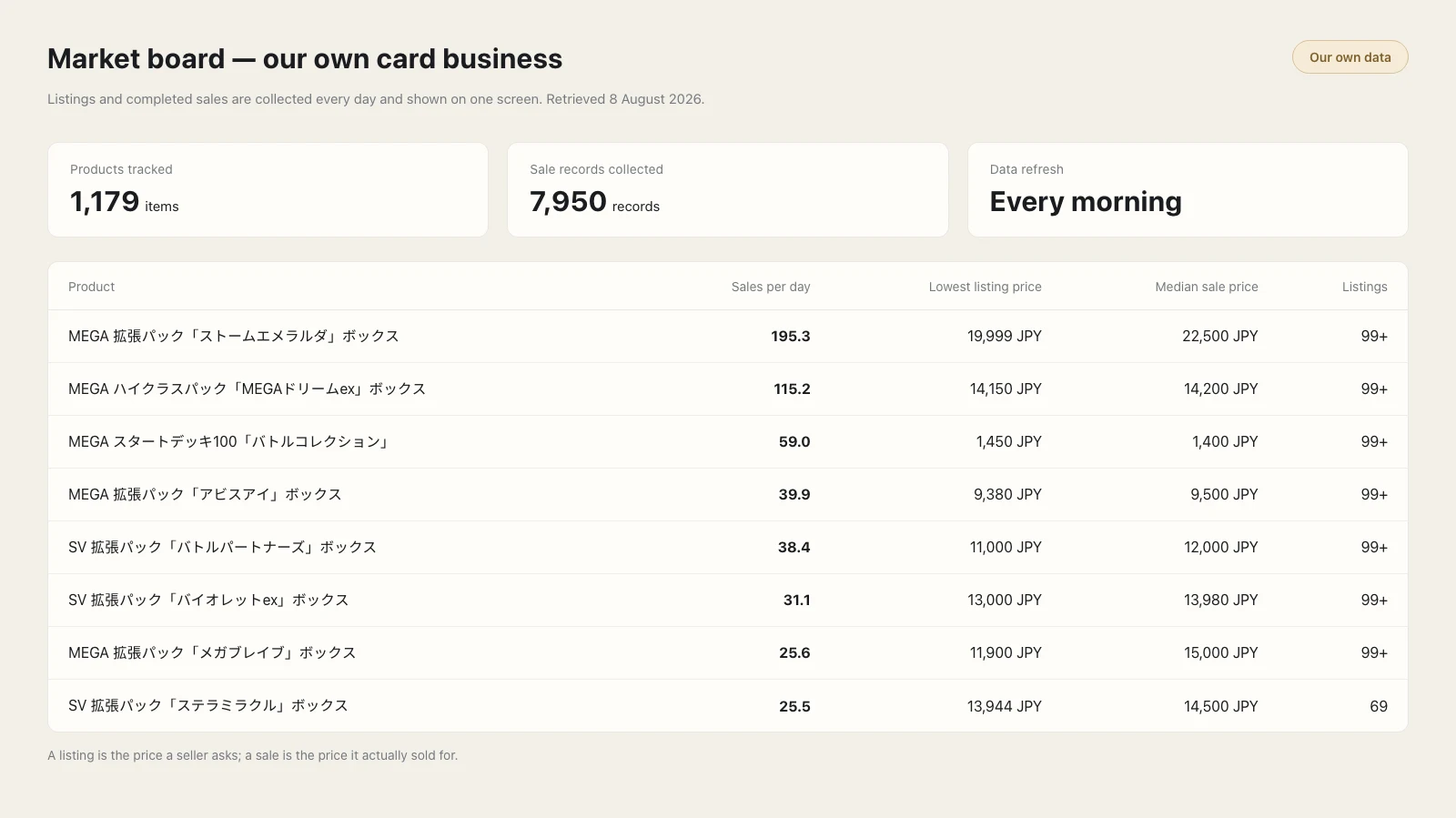
How we use it ourselves
05
What we take on
- Where the data sits
- It can run inside your own office or in an environment we prepare.
- Your Excel formats
- We carry over your columns and formatting, and the original files stay with you.
- Checking that it runs
- We take on the daily check, and you can see the record yourself.
Our prices are on the pricing page.
06
Frequently asked questions
Will our current spreadsheet formats change?
The output keeps the columns and the formatting of your own spreadsheets, so you can send it on unchanged. The originals stay in your keeping.
Where is the data stored?
We can keep the data inside your own office or on an environment we prepare. We check the operating logs, and you can view them as well.
What happens if a job stops?
We check the operating logs every day and contact you when something has stopped. Anything with an unusual amount or condition stops on its own and waits for your confirmation.
How much does it cost?
Automation flows cost 5,000 JPY a month each from the second one onward. The one-sheet morning dashboard costs 3,000 JPY a month, and no limit applies to how many people view it. Setup is 0 JPY and prices are before tax.
We look at the Excel formats you use now, then explain which part of the work can move into the system.